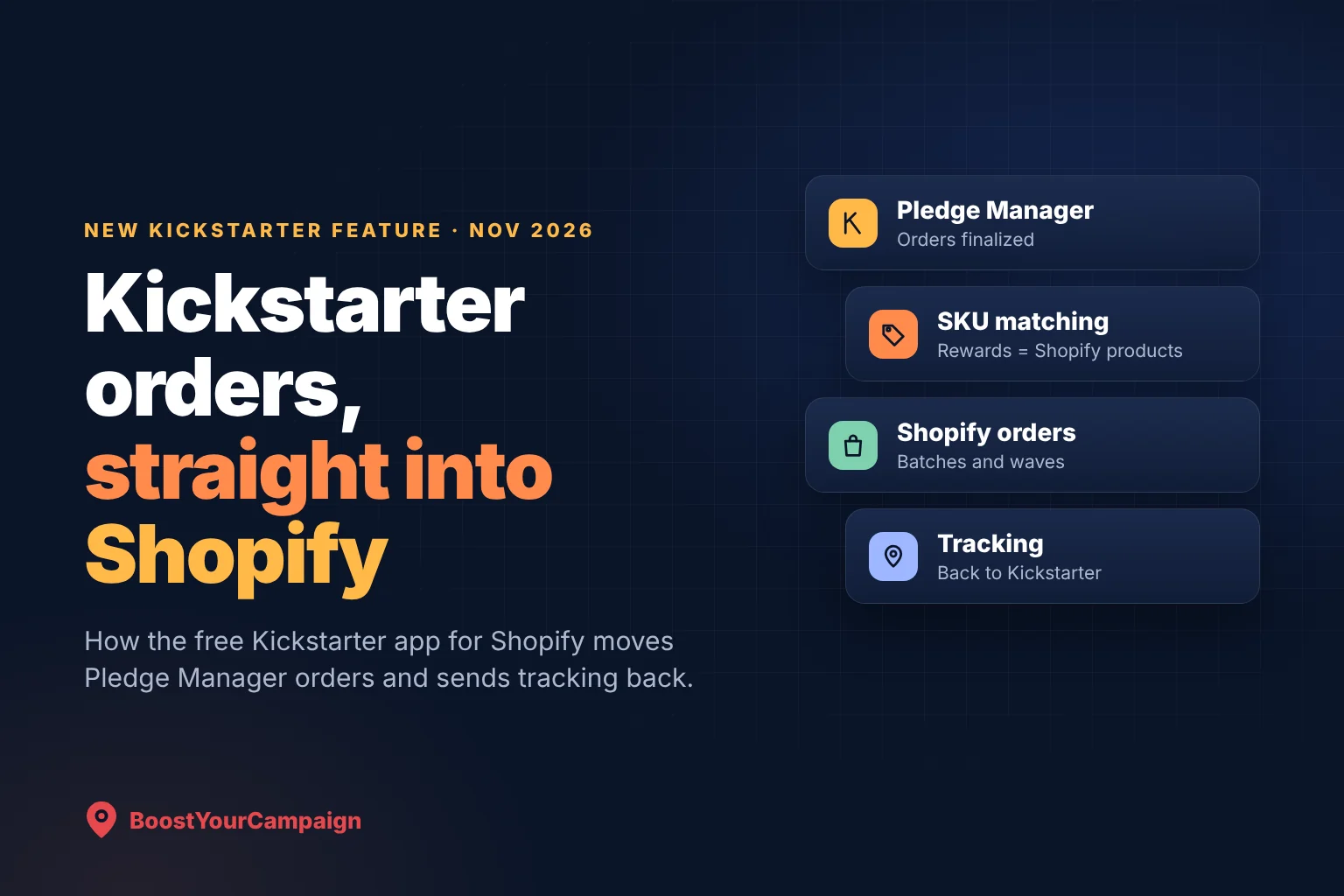
On 11 November 2026 Kickstarter released an official app in the Shopify App Store. It takes finalized backer orders from Kickstarter's Pledge Manager and creates them as orders in your Shopify store, then sends tracking numbers back to Kickstarter so backers can follow their rewards. For creators who launch on Kickstarter and sell on Shopify afterwards, it removes the spreadsheet step that used to sit between the campaign and the warehouse. This guide covers what the app does, what you need before you install it, how to set it up, and the mistakes that cause most sync problems. If you want a team to set up the store, the SKUs and the fulfillment for you, talk to an expert.
The Kickstarter app for Shopify sends finalized Pledge Manager orders into your Shopify store as regular orders and returns tracking information to Kickstarter automatically. It is free for creators who use Kickstarter's Pledge Manager, although standard Kickstarter fees still apply. You need a launched Pledge Manager, admin access to your Shopify store, and SKUs that match between your Kickstarter rewards and your Shopify products. Orders can move in batches or scheduled waves, syncing can be paused and resumed, and backers get 48 hours to confirm their shipping address before an order is transferred.
- It connects Pledge Manager to Shopify - orders flow one way into Shopify, and tracking flows back to Kickstarter.
- It is free for Pledge Manager users, with Kickstarter's usual campaign fees unchanged.
- SKUs do the matching, so every reward and add-on needs a Shopify product with the same SKU before you sync.
- Shipping in waves is built in: batch transfers, scheduled waves, and a pause and resume control.
- Backers get a 48-hour window to confirm their address before an order moves to Shopify.
- ShipStation is the other built-in route for creators whose shipping runs there instead of on Shopify.
What the Kickstarter app for Shopify does
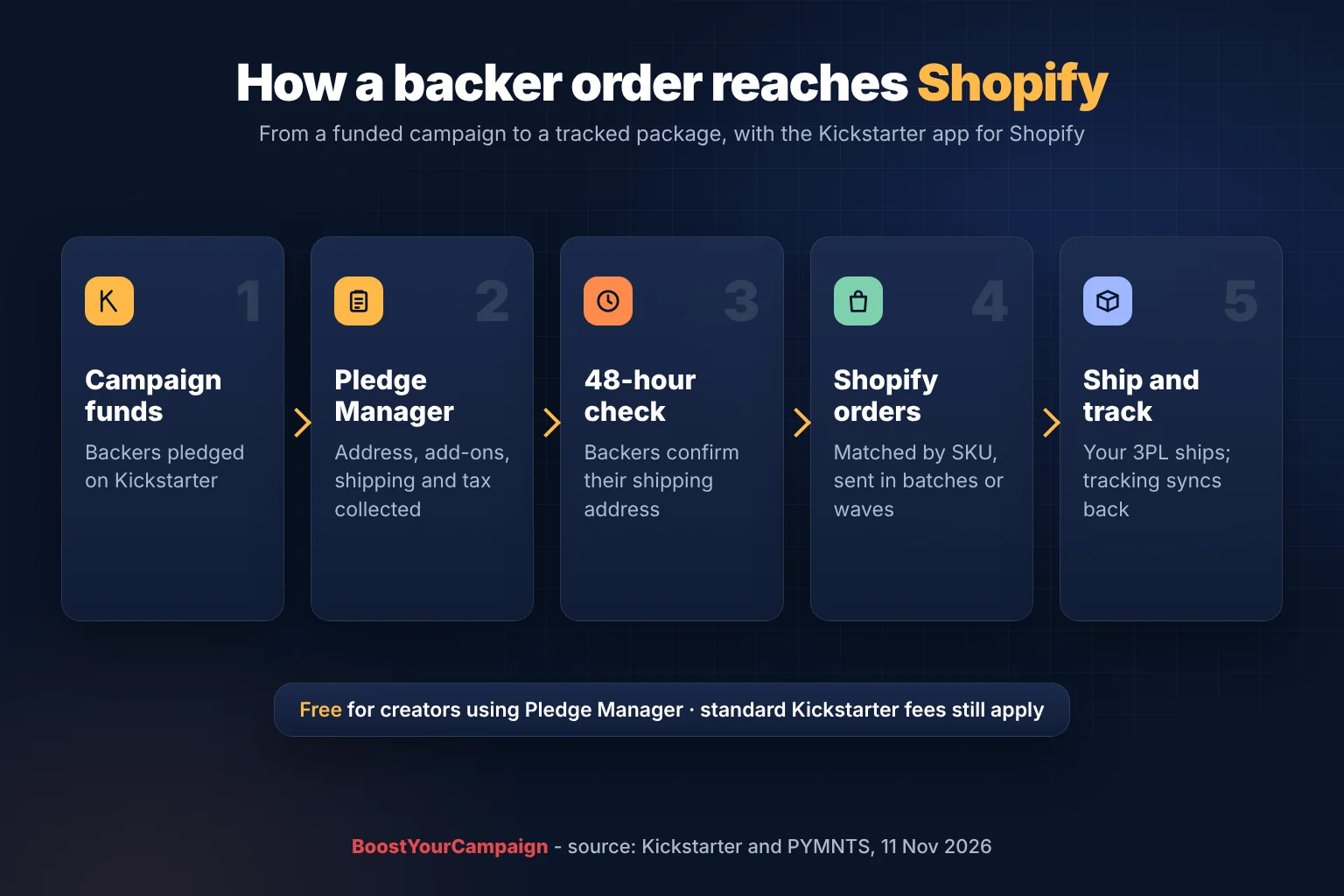
After a campaign funds, Kickstarter's Pledge Manager collects what a creator needs to ship: the backer's shipping address, any add-ons they buy, shipping charges and taxes. Until now, getting those finalized orders into a Shopify store meant exporting a file, reformatting it to match Shopify's import format, and uploading it, then doing the reverse with tracking numbers once packages shipped.
The app replaces that loop. Once you connect it, finalized Pledge Manager orders are created in your Shopify store as orders, matched to your products by SKU. From there they behave like any other Shopify order, which means the fulfillment app or third-party warehouse (3PL) already connected to your store can pick, pack and ship them. When a package ships, the tracking information is sent back to Kickstarter automatically, so backers can see where their reward is without you posting tracking links in a project update.
Kickstarter describes the app as built for creators who use Kickstarter to launch a product and prove demand, then rely on Shopify to run ongoing sales and fulfillment. Shopify's partnerships team put it this way at launch: "Kickstarter is where creators prove there's demand for an idea, and Shopify is where they grow it into a business."
What you need before you install it
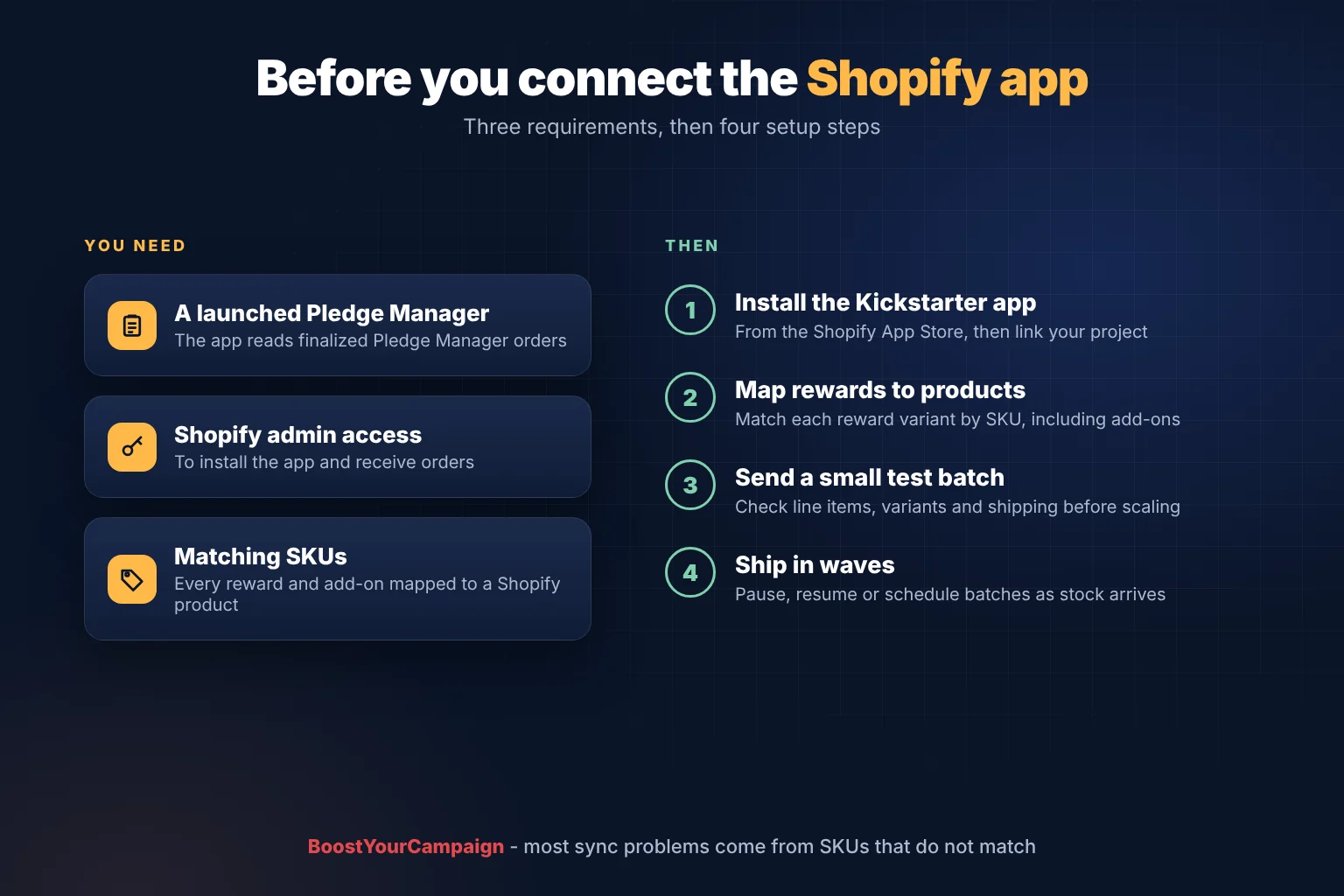
There are three requirements, and the third one is where most of the preparation goes.
- A launched Kickstarter Pledge Manager. The app reads finalized Pledge Manager orders. If you run your post-campaign surveys in BackerKit, Gamefound or PledgeBox instead, this app is not your route, and you would use that tool's own export or integration.
- Admin access to the Shopify store. Installing an app and receiving orders needs admin rights on the store.
- Matching SKUs. Each Kickstarter reward variant and add-on has to map to a Shopify product with the same SKU. A bundle reward needs a clear SKU plan too, whether that is one bundle product or the separate items it contains, so the warehouse knows exactly what to pick.
If you are still choosing between Kickstarter's own Pledge Manager and a third-party tool, our guide to Kickstarter's Pledge Manager and pledge over time compares the options, and the pledge manager and late pledges guide covers the post-campaign survey in more depth.
How to set it up
The exact screens are in the app listing, but the order of work looks like this:
- Build the SKU list first. Write down every reward, every variant (colour, size, edition) and every add-on, and give each one a SKU. Create the matching products in Shopify, or update the SKUs on the products you already have.
- Install the Kickstarter app from the Shopify App Store and connect it to your project.
- Map rewards to products. Match each Kickstarter reward variant to its Shopify product by SKU, including add-ons. This is the step to check twice.
- Send a small test batch. Transfer a handful of orders, then open them in Shopify and check line items, variants, quantities and shipping addresses before you move the rest.
- Ship in waves. Transfer orders in batches as stock arrives at the warehouse, schedule further waves, and pause syncing if something needs fixing.
Remember the 48-hour address window. Backers have 48 hours to confirm their shipping address before an order is transferred, so plan your first wave with that delay in mind rather than expecting orders to appear in Shopify the minute you lock surveys.
Shipping in batches and waves
Few campaigns ship everything on one day. Stock arrives in more than one container, regions ship from different warehouses, and some rewards are ready before others. The app supports this directly: you can move orders in batches, schedule multiple waves of fulfillment, and pause or resume syncing.
A practical way to use it is to match waves to physical stock. Send a wave to Shopify only when the units for that wave are at the warehouse, and keep the remaining orders in Pledge Manager until the next shipment lands. That keeps your Shopify order list honest about what can ship now, and it stops your warehouse from receiving orders it cannot fill. Kickstarter's Pledge Manager also lets you lock addresses for selected backer groups, which pairs well with regional waves.
If you want the warehousing handled for you, we ship rewards from our own warehouses through our US crowdfunding fulfillment and European crowdfunding fulfillment services, and the guide to shipping rewards to Europe covers VAT and customs for EU backers.
The app, ShipStation or a CSV export
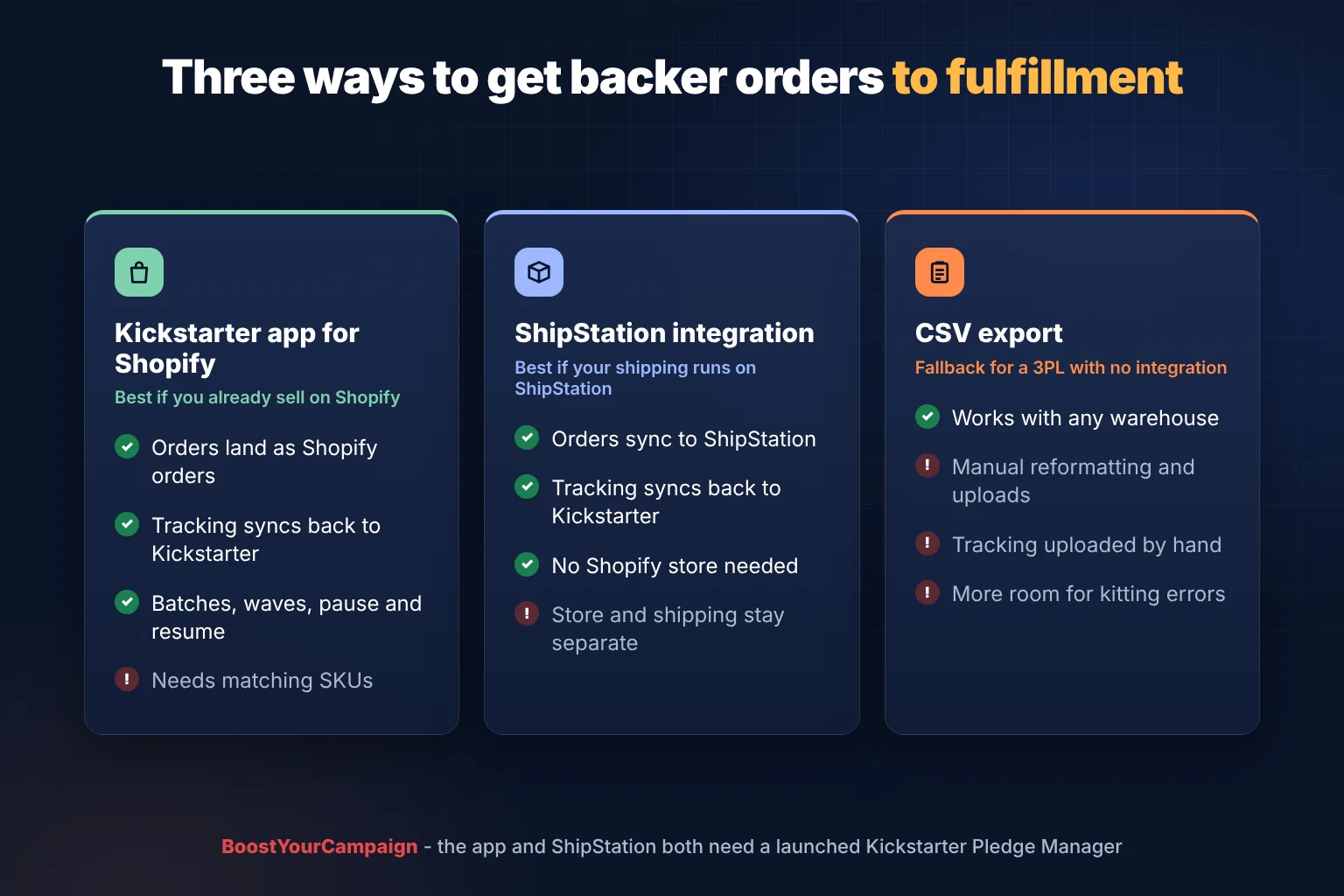
Kickstarter's Pledge Manager now has two built-in routes to fulfillment, plus the manual one.
The Shopify app suits creators who already sell on Shopify or plan to. Backer orders sit next to store orders, the same fulfillment setup ships both, and tracking flows back to Kickstarter.
The ShipStation integration suits creators whose shipping already runs through ShipStation and who do not need a Shopify store yet. Finalized orders sync to ShipStation and tracking also returns to Kickstarter.
A CSV export is the fallback when a warehouse has no integration. It works anywhere, but someone has to reformat files, upload them and bring tracking numbers back by hand, and each manual step is a chance for a wrong variant or a missing add-on to slip through.
Mistakes that cause sync problems
- SKUs that do not match. A typo, a missing variant or an add-on without a Shopify product is the most common reason an order arrives wrong. Build the list before you connect anything.
- Moving every order at once. A small test batch finds mapping problems while they are cheap to fix.
- Forgetting the address window. Orders wait 48 hours for address confirmation, so a same-day ship plan will slip.
- Mixing up reporting. Backers paid on Kickstarter, not at your Shopify checkout. Check how these orders appear in your Shopify sales reports before you compare store revenue month on month.
- Sending orders before stock is in. Waves work best when they follow the stock that is physically at the warehouse.
What it changes after the campaign
The bigger shift is that a Kickstarter backer can now become a Shopify customer record from the first order, in the same store you use for late sales. That makes the move from campaign to ongoing ecommerce shorter. The store, product pages, shipping rates and warehouse you set up for backers are the same ones that serve your next customers. Our Shopify store setup guide covers the store build, and the post-campaign ecommerce playbook covers Shopify and Amazon growth.
If you would rather hand the whole post-campaign stack to one team (Shopify design, ads, email, shipping and fulfillment), our guide to full-service ecommerce for crowdfunded brands explains what that covers, and the ecommerce services page shows how we work.
Frequently asked questions
What is the Kickstarter app for Shopify?
It is an official Kickstarter app in the Shopify App Store, released on 11 November 2026. It transfers finalized backer orders from Kickstarter's Pledge Manager into a creator's Shopify store and sends tracking information back to Kickstarter so backers can follow their shipments.
Does the Kickstarter Shopify app cost anything?
The app is free for creators who use Kickstarter's Pledge Manager. Standard Kickstarter crowdfunding fees still apply, and your normal Shopify plan and app costs are unchanged.
Do I need Kickstarter's Pledge Manager to use it?
Yes. The app works with a launched Kickstarter Pledge Manager. If you run your post-campaign survey in BackerKit, Gamefound or PledgeBox, use that tool's own export or integration instead.
How does the app match Kickstarter rewards to Shopify products?
By SKU. Each Kickstarter reward variant and add-on is matched to a Shopify product with the same SKU, so set up matching SKUs in Shopify before you connect the app.
Can I ship Kickstarter rewards in waves with the Shopify app?
Yes. You can transfer orders in batches, schedule multiple waves of fulfillment, and pause or resume syncing, which suits campaigns where stock arrives in more than one shipment.
Does tracking go back to Kickstarter?
Yes. When an order ships from Shopify, the tracking information is sent back to Kickstarter automatically, so backers can follow their reward there.
How long before orders appear in Shopify?
Backers have 48 hours to confirm their shipping address before an order is transferred, so expect that delay between locking the Pledge Manager and seeing orders in Shopify.
Is there an alternative if I do not use Shopify?
Kickstarter's Pledge Manager also integrates with ShipStation, which syncs finalized orders and returns tracking to Kickstarter. A CSV export remains the manual option for warehouses without an integration.
Sources: PYMNTS, 11 November 2026 and Kickstarter's Pledge Manager update. Planning a Shopify store, SKU setup or fulfillment for your backers? Talk to an expert.
Want results like these for your campaign?
We've helped 4,600+ creators raise over $734M. Let's pressure-test your launch plan and find the highest-leverage fixes before you go live.
Talk to an expert →Get the free 87-step launch checklist
The exact pre-launch, live-campaign and fulfillment steps we use across 4,600+ launches. Free PDF, emailed instantly.
You're in - check your inbox. Open the checklist now ->